0
0
 0
0
In this article, we will learn how python can be used for creating and managing Amazon Web Services (AWS) such as Elastic Compute Cloud (EC2), Simple Storage Service (S3), Relational Database Service (RDS). For this purpose, we will use boto3 library of python, Boto is a Python package that provides interfaces to Amazon Web Services (AWS).
Prerequisites:
- AWS account with privileges
- Basics of EC2
For installing boto3 in python :
default version : pip install boto3
specific version : python3 -m pip install boto3 (as python3 in this case)
Setting Up the AWS EC2 Console:
For accessing the AWS services from python code we first need to create a user and give him programmatic access using Amazon console.
- Launch IAM console
- Add user

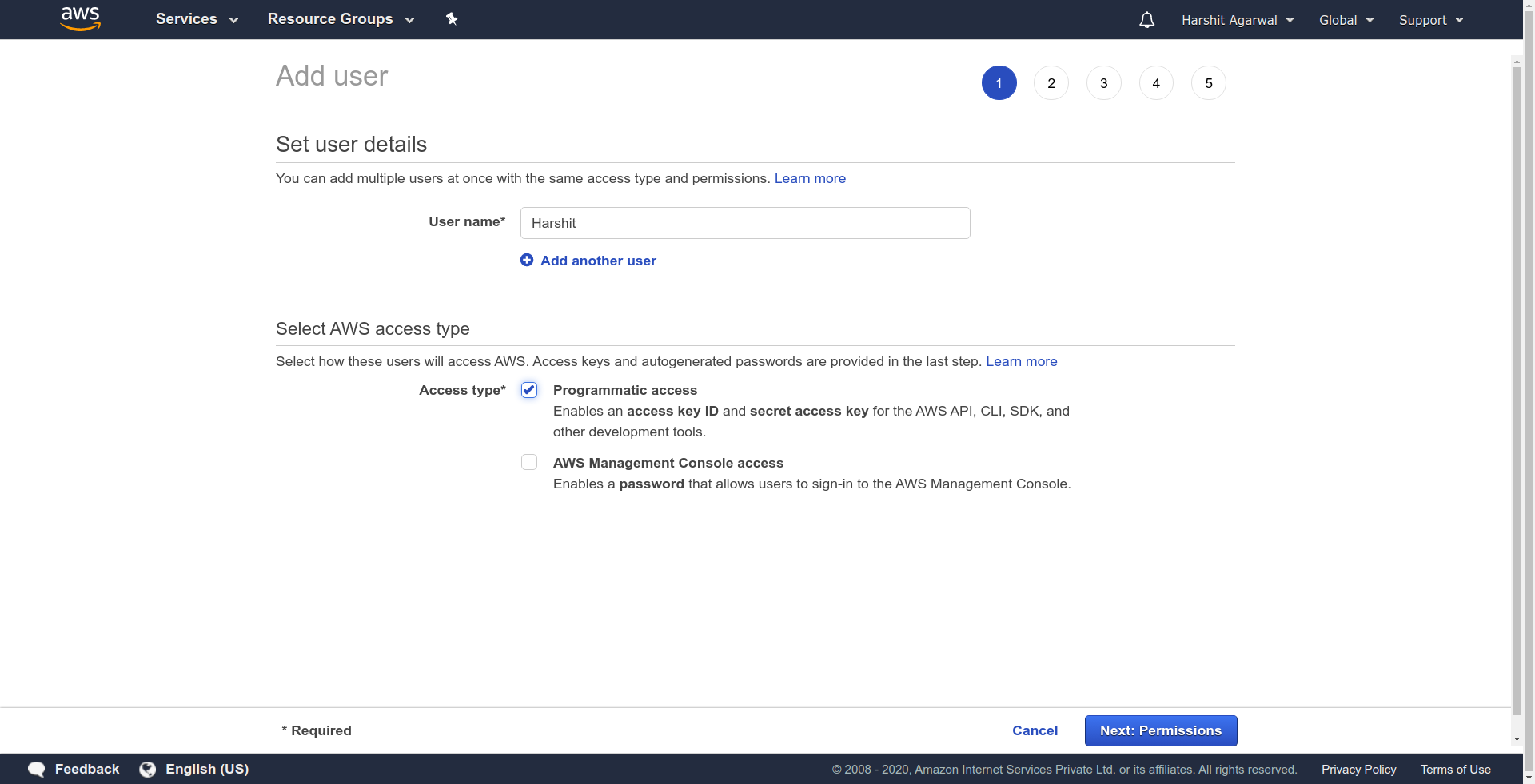
- Then provide a username and give programmatic access to it and then click Next.
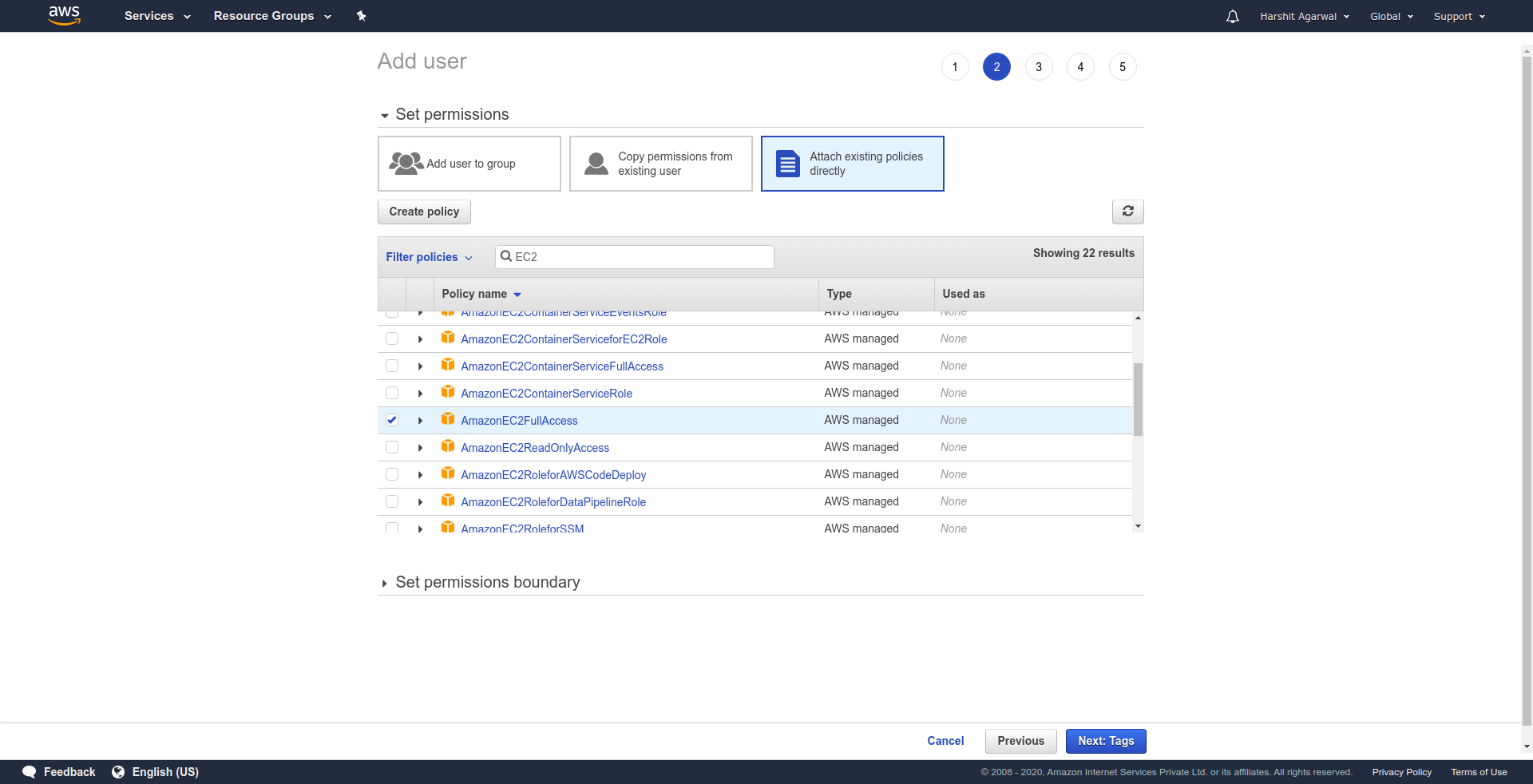
- Now provide the necessary permission related to the user, this user might belong to a group and their policies can be directly attached to the user, or we can copy the policies of an existing user, or we can directly attach an existing policy as we are going to provide here.
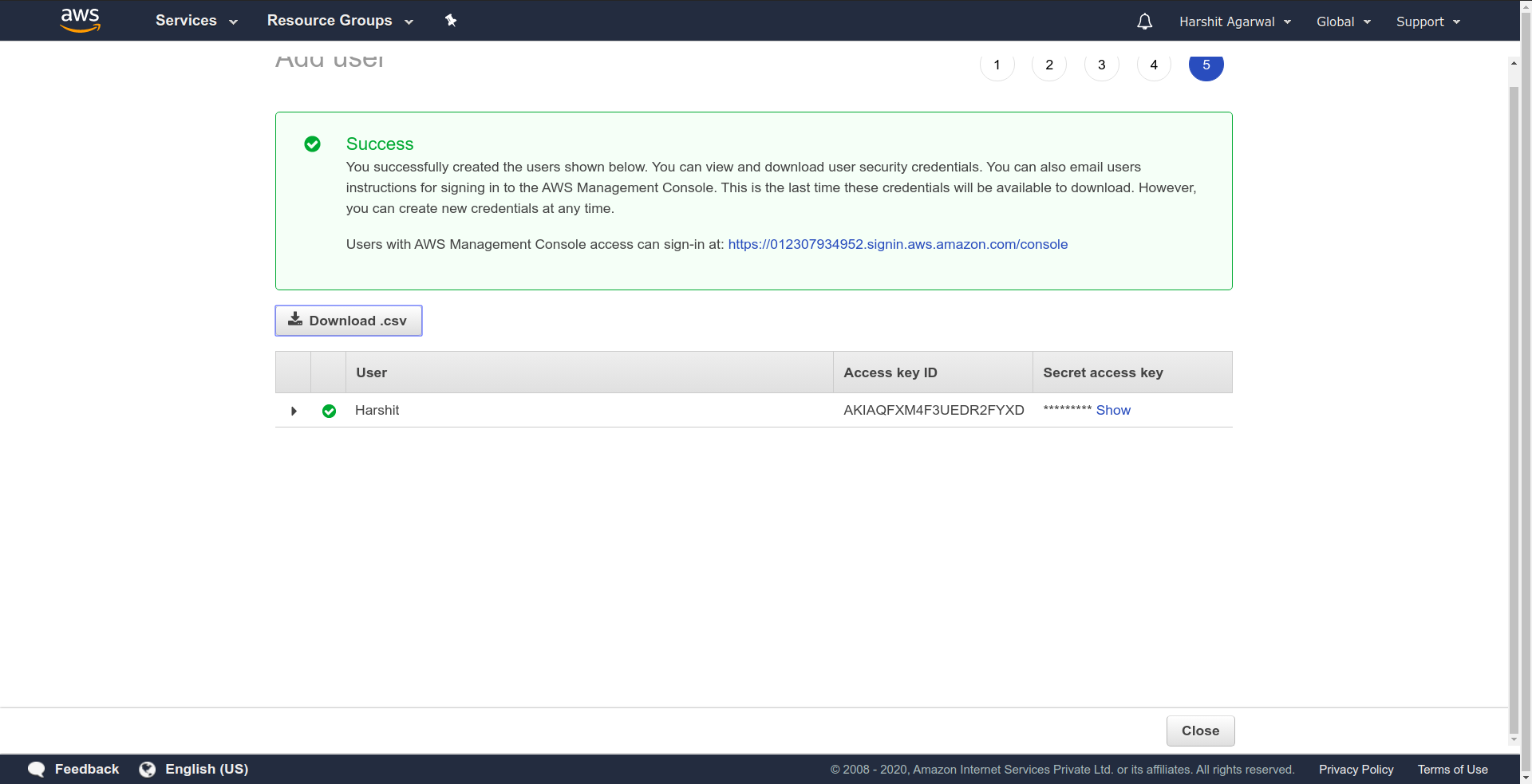
- Tag is optional we can skip it, review the permissions, and create the user finally. Download the CSV as this is the last time it is available for download, this file contains the access key ID and the secret key which will be used next in code.
Now we are all set to launch our EC2 instance using python code. For making a connection with EC2 instance we use boto3’s client API. The client API takes in following arguments to make a connection with AWS the service.
- Service Name: The service to which connection has to be established.
- Region: Amazon EC2 is hosted in multiple locations worldwide. Based on our need we can choose our region, we have taken Asia-pacific as our region( ‘ap-south-1’ ).
- aws_access_key_id: AWS Security Credentials. Paste the downloaded ID in the blank space.
- aws_secret_access_key: AWS Security Credentials. Paste the downloaded secret key in the blank space.
Implementation:
- Python3
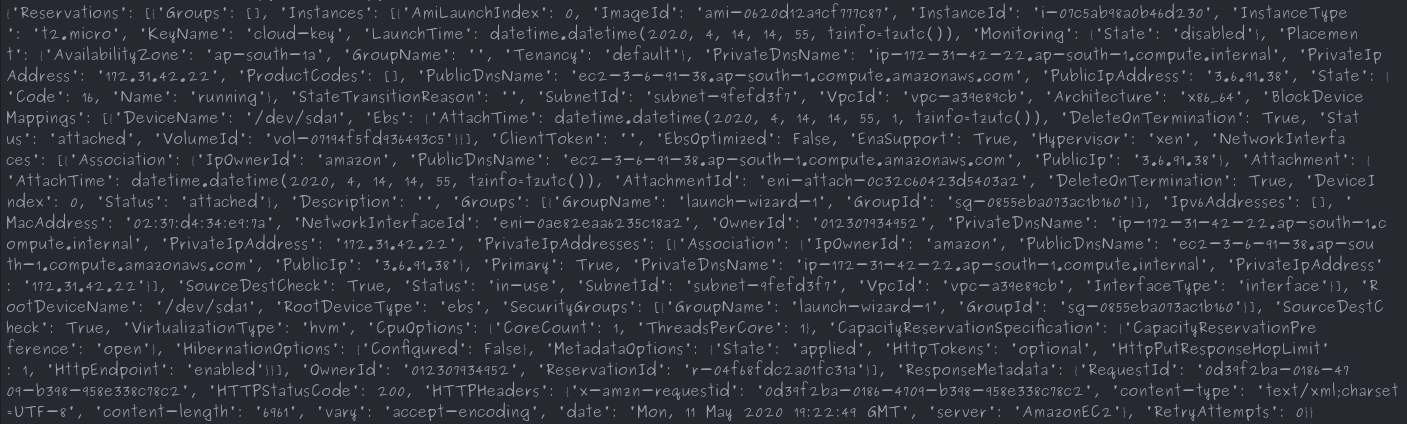
#Python Program for creating a connectionimport boto3ec2 = boto3.client('ec2', 'ap-south-1', aws_access_key_id='', aws_secret_access_key='')#This function will describe all the instances#with their current stateresponse = ec2.describe_instances()print(response) |
OUTPUT
Creating an instance:
The ec2.run_instances launches the specified number of instances using an AMI for which you have permissions. It provides a variety of launch configurations, but we can launch instances with few of the following arguments.
- InstanceType: The instance type that you specify determines the hardware of the host computer used for your instance. Each instance type offers different compute, memory, and storage capabilities and are grouped in instance families based on these capabilities. However, AWS provides “t2.micro” as free in the Free Tier limit.
- MaxCount: The maximum number of instances to launch. If MaxCount > available instances in target Availability Zone, then it launches the maximum number of Instances greater than MinCount.
- MinCount: The minimum number of instances to launch. If available instances in target Availability Zone < MinCount, then no instances are launched.
- ImageId: The ID of the AMI used to launch the instance. For our case we have chosen Ubuntu Server 18.04 LTS (HVM), SSD Volume Type (ami-02d55cb47e83a99a0).
Implementation:
- Python3
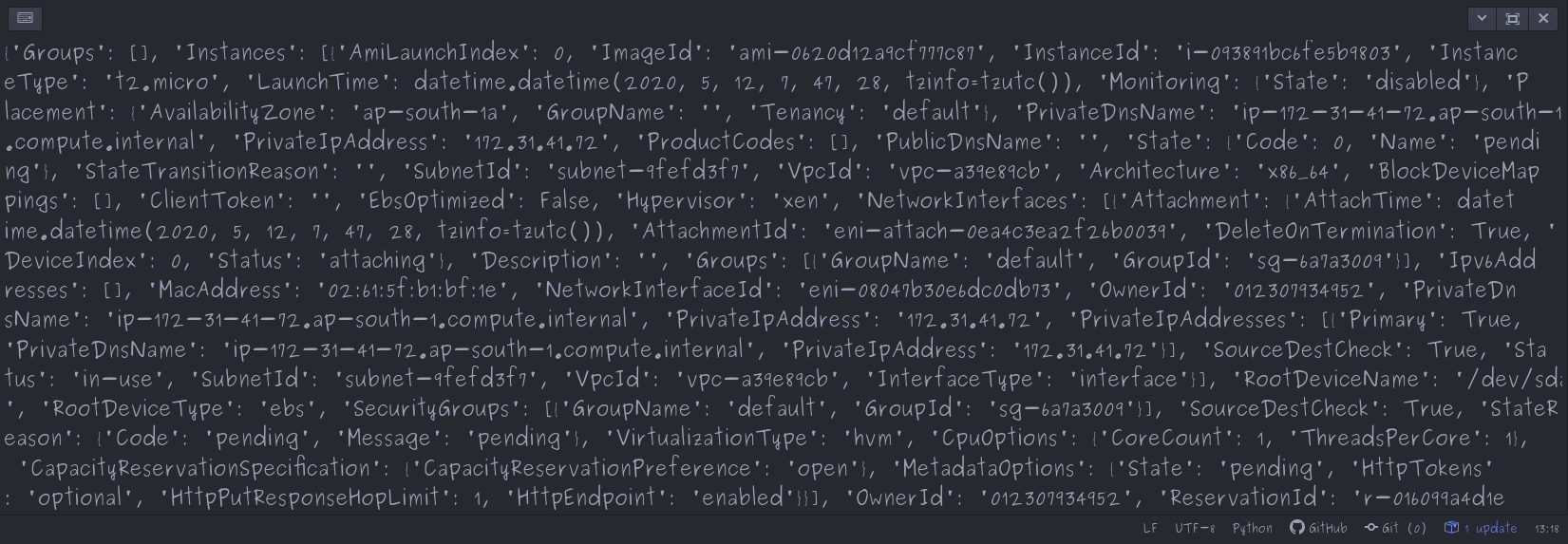
#Python Program for creating a connectionimport boto3#Function for connecting to EC2ec2 = boto3.client('ec2', 'ap-south-1', aws_access_key_id='', aws_secret_access_key='')#Function for running instancesconn = ec2.run_instances(InstanceType="t2.micro", MaxCount=1, MinCount=1, ImageId="ami-02d55cb47e83a99a0")print(conn) |
OUTPUT
How to terminate an EC2 instance using Python and the boto3 library:
To terminate an EC2 instance using Python and the boto3 library, you can use the terminate_instances() method of the ec2 client. This method requires you to provide the InstanceIds of the instances that you want to terminate as a list.
Here is an example of how you can terminate an EC2 instance using Python and boto3:
- Python3
import boto3# Connect to the EC2 serviceec2 = boto3.client('ec2', 'ap-south-1', aws_access_key_id='', aws_secret_access_key='')# Terminate the instance with the specified IDresponse = ec2.terminate_instances(InstanceIds=['instance-id-1'])# Print the responseprint(response) |
Note that the terminate_instances() method returns a TerminateInstancesResponse object, which contains information about the request and the instances that were terminated. You can access the TerminatingInstances field of this object to get a list of InstanceStateChange objects, which contain information about the state of the terminated instances, such as their ID, previous state, and current state.